

How to Register for a Campaign Using Your ID (email address)
Registration now requires your ID (email address) instead of your card number.
Create your ID before registering for the campaign to make enrollment quick and easy.
ID (email address)
Your email address will be used as your ID.
If you have registered the card number with your ID in advance, you can register for a campaign by simply entering your ID (email address).
How to Create Your ID
You can create your ID in any of the following ways:
Create Your ID before Participating in a Campaign
1. Enter your email address on the ID registration page
Enter the email address you wish to use as your ID.
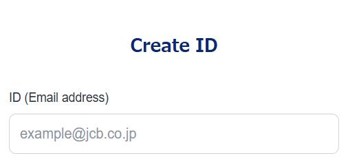
2. Follow the instructions to register your card information
A verification email will be sent to the email address you entered.
Open the URL in the email and follow the instructions to register your card.
Your ID has been created successfully.
- *
You can register up to ten RuPay/JCB Global Cards per ID.
- *
The JCB logo will be displayed in emails sent by JCB.
Create Your ID when Registering for a Campaign
1. Enter your email address on the campaign registration page
Enter the email address you wish to use as your ID.
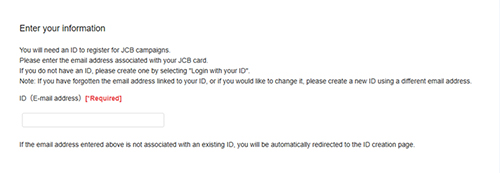
2. Follow the instructions to register your card information
A verification email will be sent to the email address you entered.
Open the URL in the email and follow the instructions to register your card.
Your ID has been created successfully.
- *
You can register up to ten RuPay/JCB Global Cards per ID.
- *
The JCB logo will be displayed in emails sent by JCB.
3. How to register for a campaign
After creating an ID, you can proceed directly to campaign registration.
See below for instructions on how to register for the campaign.
How to Register for a Campaign
1. Enter your email address on the campaign registration page
Enter the email address you wish to use as your ID.
2. Open the login page using the link in the verification email
A verification email will be sent to the address you entered.
Open the URL in the email to access the login page.
3. Select a card to participate in the campaign
After logging in, select the card you wish to register for the campaign and click "Proceed to the confirmation screen."
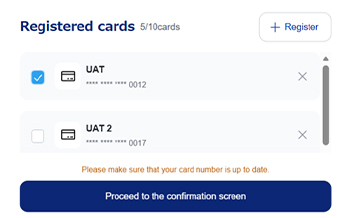
4. Press the "Register" button on the campaign registration confirmation screen
Notes
When registering your RuPay/JCB Global Card, your card will be verified to confirm that it is valid.
A temporary authorization for an amount equivalent to JPY 1 may be processed to verify your card.
This authorization is not an actual purchase or charge.
If you are using a credit card, an amount equivalent to JPY 1 may be temporarily held against your available credit limit. The hold will be released after the issuer's hold period ends. (The hold period is determined by the issuer.)
If you are using a debit card, an amount equivalent to JPY 1 may be temporarily withdrawn from your bank account. The amount will be refunded afterwards.
JCB will ask for your card number and expiration date only to link your card information to your ID when you register for a campaign.
You will not be asked to enter your card number or expiration date when you register for a campaign.
Please be aware that websites such as the following may be fraudulent:
- ・
Website that prompts you to enter the card number when registering for a campaign
- ・
Website that prompts you to enter the card number and expiration date for situations other than ID registration
- ・
Websites that, when linking card information to your ID, ask you to enter additional information besides your card number and expiration date at the same time
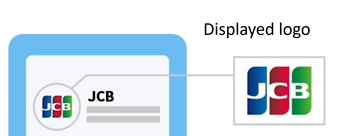
The JCB logo shown below will be displayed in emails sent by JCB.
Check the logo displayed in the email.
Frequently Asked Questions
If you have any questions about registering for a campaign using your ID (email address), please see our Frequently Asked Questions.
What if I have different email addresses registered with different card issuers?
Can I register RuPay/JCB Global Cards issued by any card issuer to my ID (email address)?
What should I do if my RuPay/JCB Global Card registered to my ID (email address) is renewed or its card number changes?
How can I change the RuPay/JCB Global Card information registered under my ID (email address)?
What should I do if I want to delete my ID (email address)?